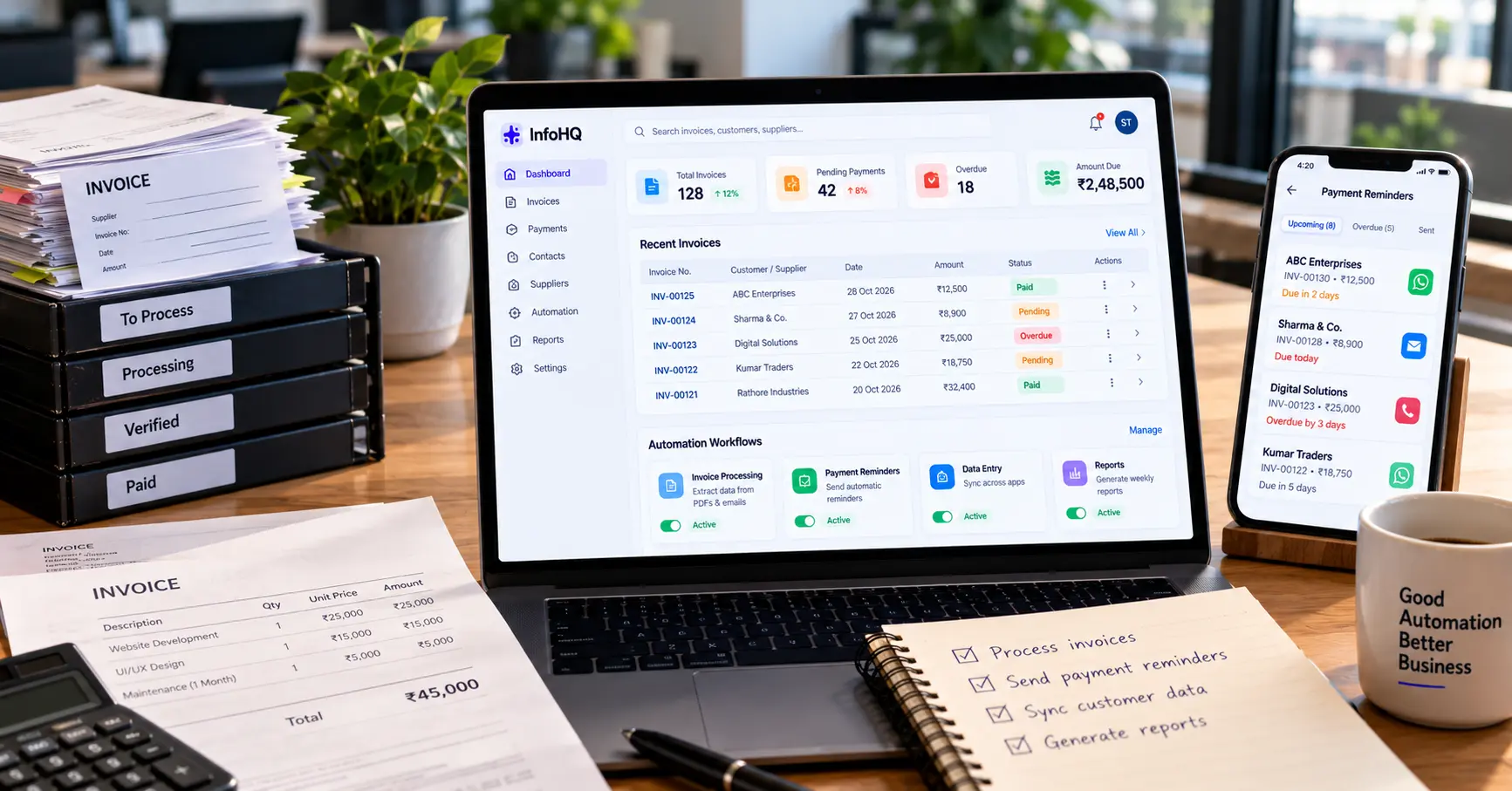
Invoices, payment reminders, and manual bookkeeping entries are non-negotiable back-office functions. But when your team spends dozens of hours every month copying numbers between PDFs, spreadsheets, and banking portals, manual overhead begins eating into your operating margins.
Consider a typical scenario: an invoice arrives via email, an employee manually keys the amounts into an Excel sheet, another person creates a record in the accounting portal, and payment follow-ups are tracked via calendar notes.
Each manual touchpoint introduces delays, calculation mistakes, and missed payment deadlines.
Invoice processing and workflow automation solve these bottlenecks without requiring massive enterprise software investments. Here is how small businesses can automate accounts payable, payment reminders, and operational data entry safely.
1. Automated Invoice Data Extraction
Businesses receive invoices in various formats: PDF attachments, scanned paper receipts, vendor portal downloads, and email bodies. Manually transcribing line items into accounting software becomes tedious and error-prone as volume grows.
A document automation pipeline can streamline this:
- Intelligent Ingestion: Detect incoming invoices from designated email inboxes or shared cloud folders.
- OCR & Entity Parsing: Extract key metadata including Vendor Name, Invoice Number, Issue Date, Due Date, Tax Amounts, and Total Due.
- Duplicate Verification: Cross-check the invoice number against existing accounting records to prevent double-payments.
- Human Review Routing: Automatically flag low-confidence parses or unexpected cost anomalies for one-click manual approval.
How to implement safely
Never allow automated OCR scripts to execute bank payouts without verification. Use automation to extract and stage the data, perform automated validation checks, and keep the original PDF linked to the record for audit compliance.
2. Automated Smart Payment Reminders
Chasing unpaid invoices is uncomfortable and time-consuming. When handled manually, reminders are often sent late or, worse, sent to clients who have already transferred funds.
An automated payment reminder workflow syncs with your bank feed or payment gateway (like Razorpay or Stripe) and triggers timely, courteous notifications:
- 3 Days Before Due Date: Friendly courtesy note with the invoice PDF and one-click payment link.
- On Due Date: Clean reminder detailing banking details and payment options.
- 3 Days Overdue: Polite inquiry asking if there are any billing questions or approval delays.
- 7+ Days Overdue: Escalated alert to your account manager to initiate a personal phone check-in.
- Upon Settlement: Reminders stop instantly, and an automated tax receipt is issued to the client.
3. Eliminating Redundant Multi-App Data Entry
In many businesses, the same client details are typed multiple times: first into a lead contact form, then into a CRM, then into a project management board (Jira/Trello), and finally into invoicing software.
This duplication causes spelling mismatches, conflicting customer records, and wasted hours.
How to fix it
Build bi-directional webhooks between your primary operational hubs:
- When a contract is marked “Won” in your CRM, automatically create the client profile and draft initial milestone invoices in your billing software.
- Sync payment status back to the project board so delivery teams know kickoff conditions have been met.
- Enforce strict validation rules (e.g., GST numbers, PAN, valid emails) at the source to ensure bad data never enters downstream tools.
4. Automated Weekly and Monthly Financial Reporting
Business owners often wait until the end of the month to understand their cash flow position, relying on an accountant to manually consolidate various bank accounts and invoices.
An automated reporting pipeline can aggregate live data and dispatch a clean executive digest every Monday morning:
- Total invoices issued vs. cash collected.
- Overdue receivables aged by bracket (0–15 days, 15–30 days, 30+ days).
- Projected cash inflow for the upcoming two weeks based on contract milestones.
- Key operational metrics dispatched directly to leadership via email or private Slack channel.
5. Choosing the Right Automation Architecture
Different workflows demand different tooling based on security requirements and technical depth:
| Platform | Best For | Technical Skill Needed | Hosting Options |
|---|---|---|---|
| n8n | Complex, multi-system enterprise logic & privacy | Moderate (Visual + JavaScript) | Self-hosted or Cloud |
| Make | Visual drag-and-drop scenario workflows | Low to Moderate | Cloud-hosted |
| Zapier | Rapid point-to-point connections | Beginner friendly | Cloud-hosted |
| Custom Microservices | High-throughput data processing & proprietary APIs | Advanced (Node.js / Python) | Cloud VPS / Serverless |
For financial and customer data, self-hosting platforms like n8n offer major data governance advantages because sensitive financial records never pass through third-party multi-tenant servers.
6. Financial Security, API Hardening & Error Handling
Automating financial workflows requires strict security safeguards:
- Least-Privilege API Tokens: Grant automation scripts only the minimum permissions required (e.g., read-only for bank feeds, draft-only for billing).
- Secure Secret Storage: Never hardcode API keys or database credentials in client-facing code or unsecured environment files.
- Idempotency & Retries: Ensure webhook listeners are idempotent so a retried network request does not generate duplicate invoices or double-charge a card.
- Audit Logging: Maintain tamper-proof logs of every automated change, transaction ID, and system response.
Review the OWASP API Security Top 10 guidelines when implementing custom API endpoints and webhook integrations.
7. Calculating Real ROI Before You Build
Before automating a task, quantify the time and cost currently spent:
Monthly Time & Cost Savings Formula:
Monthly Savings = Daily Hours Spent × Working Days × Hourly Labor Rate
For example, if an operations coordinator spends 45 minutes daily on manual invoice logging and reminders across 22 working days:
- That equals 16.5 hours per month spent on repetitive keystrokes.
- Automating 80% of this workflow recovers approximately 13 hours per month of high-value human capacity, allowing your team to focus on customer retention and revenue-generating activities.
Frequently Asked Questions
Can small businesses automate invoice processing without enterprise software? Yes. Modern workflow automation engines like n8n and Make, combined with cloud document parsers and modern accounting APIs, enable small businesses to build custom invoice pipelines for a fraction of enterprise software costs.
Are automated payment reminders effective? Yes. Friendly, automated payment reminders sent before and on the due date reduce days sales outstanding (DSO) by an average of 25% to 40% while removing the interpersonal awkwardness of manual follow-ups.
Is no-code automation secure for handling financial records? It is secure when configured properly with encrypted connections, least-privilege API scopes, and human approval steps for payments. For strict compliance, self-hosting the automation engine ensures financial data never leaves your infrastructure.
What is the best financial process to automate first? Payment reminders and recurring invoice creation are the best starting points because they follow simple, predictable logic and deliver immediate cash flow improvements with minimal risk.
Final Thoughts
The goal of business automation is not to eliminate human oversight. It is to eliminate repetitive, error-prone data entry so your team can focus on client relationships, quality delivery, and business growth.
Start by mapping your current invoice lifecycle, identify where time is lost, and automate one recurring workflow at a time.